
Moving to TIPPA from Other Waste Software
In short: you bring your customers, sites, vehicles and past loads across yourself, free, from a spreadsheet. TIPPA is free for life, not a trial, so you can run it beside your old software while you move. We'll advise on the move for free.
How to Bring Your Records Across
- Open Settings → Import Records (admins only) and choose what you're importing.
- Download the Excel or CSV template.
- Fill it in, or paste your old software's export into it, and upload it.
- TIPPA checks every row first, carrier registrations and permits included.
- Import. Rows with problems come back as a file to fix and upload again.
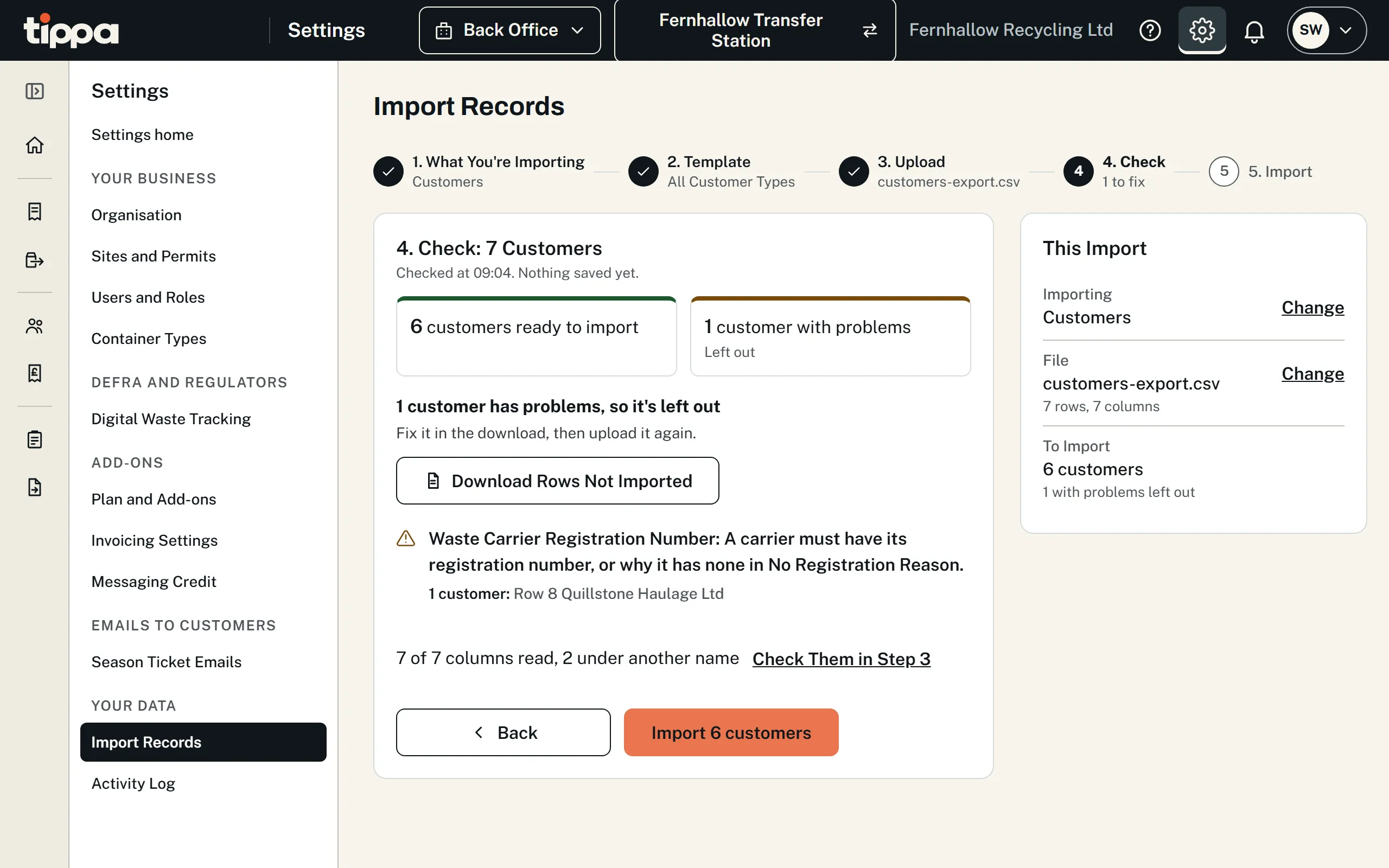
For past receipts, you choose whether the loads go to Defra: leave it off for loads your old software has already reported. You can undo an import for 7 days, leaving anything used or changed since. More about importing.
What Comes Across Today
- Customers
- Sites and vehicles
- Past receipts, hazardous loads with their producer and UN details included
- Container types
- Skips Skip Hire add-on
- Charges and prices Invoicing add-on
Not yet: collections, drivers, templates, Waste Output and repeated records. Rejected or quarantined loads, and past loads' photos and signatures, don't come across.
Getting Your Records Out of Your Old Software
Export your customers and past loads, or ask your supplier for them as a spreadsheet.
What Each Product's Website Says You Can Export
- AnyWaste: its reports, as CSV.
- Consigns: a CSV export of completed jobs.
- IntelliWaste: no export described, so ask it for a spreadsheet.
- LoadLog: customers and past loads, as a spreadsheet or CSV.
- LoadSnap: CSV and PDF exports.
- WasteMatrix: the records it has sent to Defra.
- Wasters.io: records retrieved on demand, so ask it for a spreadsheet.
- WTNCloud: nothing said, so ask it for a spreadsheet.
Check with your supplier before you leave.
Run Both While You Move
There's no clock running on TIPPA's free plan. Record new loads in TIPPA while your old software keeps its history, and move the rest across when you're ready. Report each load to Defra from one of them, not both.
Help with the Move
Tell us what you use now and we'll advise on the move, free. If you'd like us to convert your records for you, that's charged depending on the work involved, and we'll tell you the price before we start. Ask us.
Then watch the setup video for your business.
Can TIPPA Work with the Software We Already Use?
Yes. If you'd rather keep some of your current systems, such as weighbridge, accounts or job management software, we can build an integration so records pass between them and TIPPA. Get in touch and tell us what you use.
Start Using TIPPA
Free for life. Pay only for the extras you choose.