
Transfer Station and Weighbridge Software: Every Load Recorded Once
Weigh it in, and TIPPA does the rest: the carrier checked before it tips, the ticket, the transfer note and Defra told.
- Weigh in, weigh out. Your operator types in the indicator’s reading.
- Every load to Defra, free. As permitted sites in England and Wales must, with no cap and no spreadsheet.
- Returns built from your receipts. Your regulator’s waste return (Waste Returns add-on).
Free for life. Not a trial. 1 site and 1 office user, with no card or contract. Pay only for the extras you choose, from £5 + VAT a month. What you might add
What a Transfer Station Pays.
£0 a month
Free for life, not a trial. 1 site and 1 office user come free, and so do receipts, transfer notes and reporting every load to Defra.
Pay only for the extras you choose, a month + VAT:
- Waste Returns: your waste return built from your records and sent for you+£25
- Reporting: Mass Balance against your permit’s limits, and reports+£15
- Invoicing: gate prices, invoices and the day’s takings+£25
- Branding: your logo on receipts, tickets and emails+£10
- Extra office users: for more people in the office or on the bridge+£5 each
Every extra starts with a free month, with no card needed. Work out your own price
The Small Print
Add-ons are priced once for the business, not per site.
Run your own lorries too? Tick both when you sign up: one vehicle comes free, then £5 + VAT a month each. TIPPA for waste carriers Work out a site and a fleet
What TIPPA isn’t: it doesn’t read your weighbridge indicator yet, and isn’t built for buying scrap metal: a scrap yard can record the metal it takes in, but not what it paid or the seller’s ID.
What TIPPA Does for You.
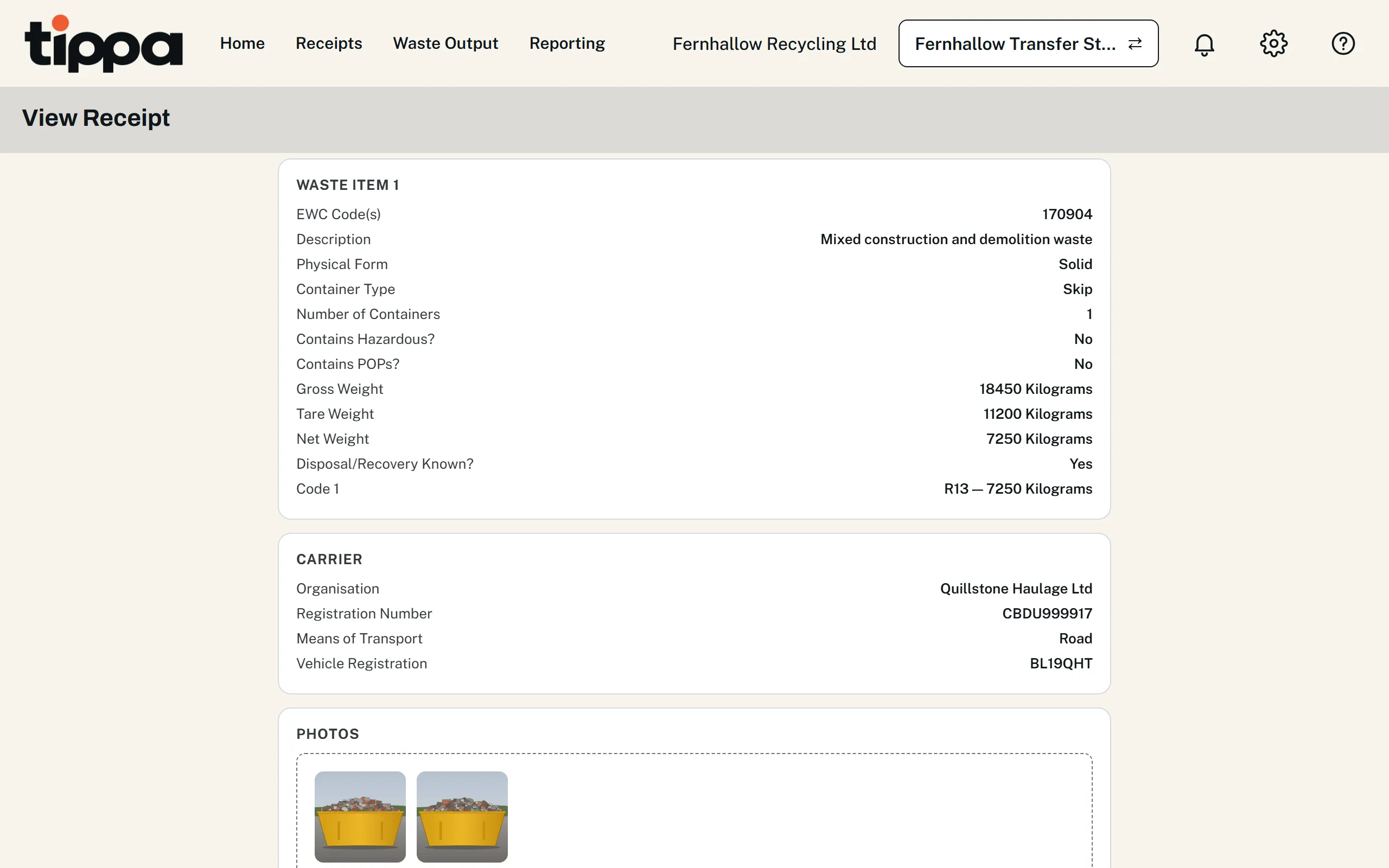
Every Load In, Recorded Once
Accept, reject or quarantine each item. Every load in and out gets a receipt and a pre-filled transfer note, or consignment note if hazardous. Your logo on receipts and emails. Branding add-on More about receipts
At the Weighbridge
- Type a registration: the carrier and its last load come up.
- The tare remembered, even with no signal.
- A ticket for every weigh-out, signed on a pad if you like.
You need Chrome or Edge, and a printer for paper tickets (for your IT team). More about the weighbridge Gate prices and takings Invoicing add-on
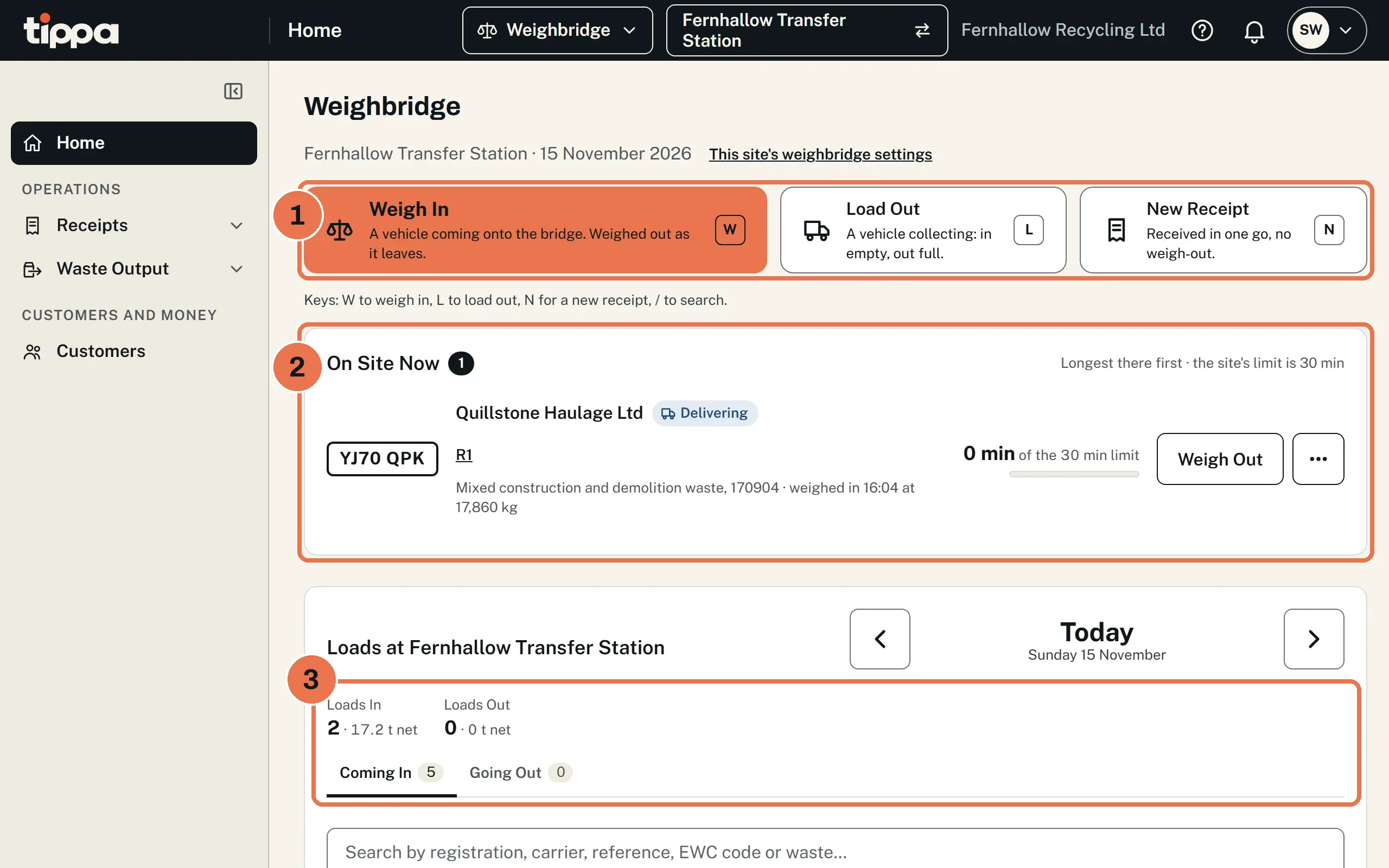
- Weigh In, Load Out (in empty, out full) or New Receipt
- Each lorry’s time on site
- Today’s loads in and out
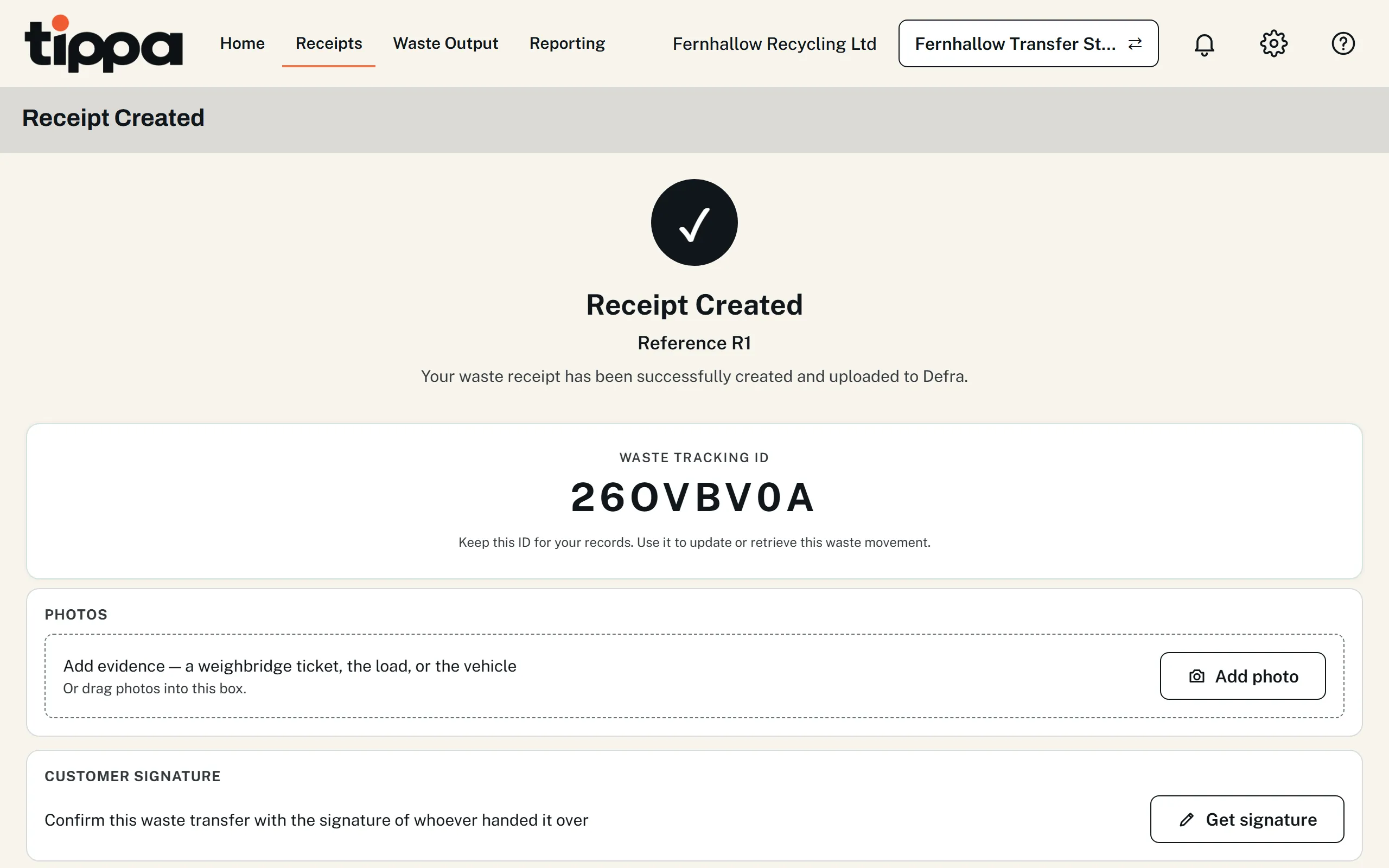
Reported to Defra as You Receive
Free, and sent again hourly if Defra’s service is down. Defra’s test results Free digital waste tracking
Every Carrier Checked
Checked on all four UK registers when you save and nightly, and an expired or revoked carrier is stopped. More about carrier checks
Your Permits and Exemptions
Each permit is checked on its register, its waste codes and limits filled in, and each load goes under the permit that allows it. More about permits
Under a waste exemption instead? TIPPA for exempt sites.
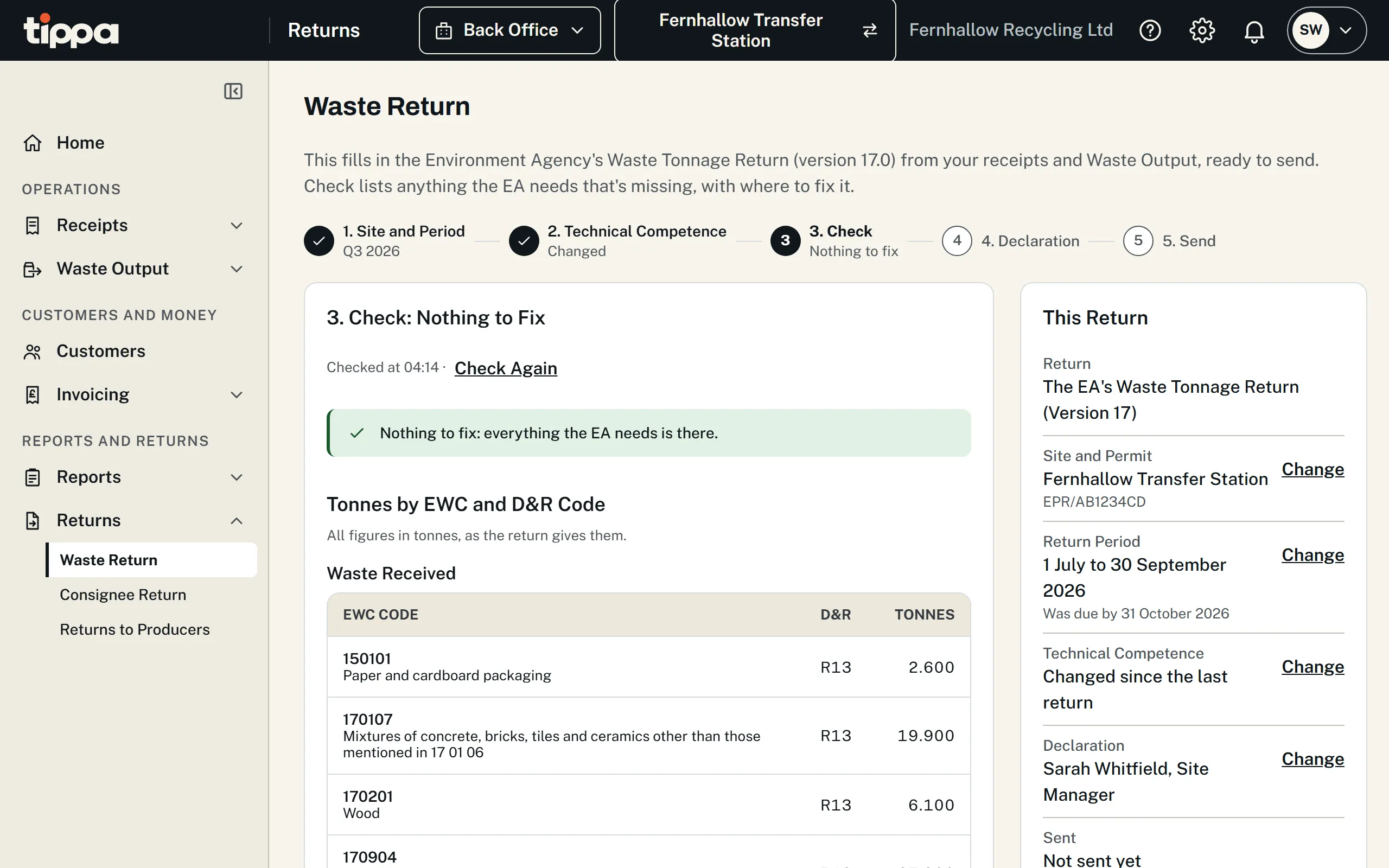
Returns Without the Spreadsheet
Your waste return for the EA, NRW, SEPA or NIEA, and your hazardous waste consignee return, built from your records. Returns Due says what each site owes. Waste Returns add-on Consignee Returns add-on Hazardous waste sites
Know What's on Site
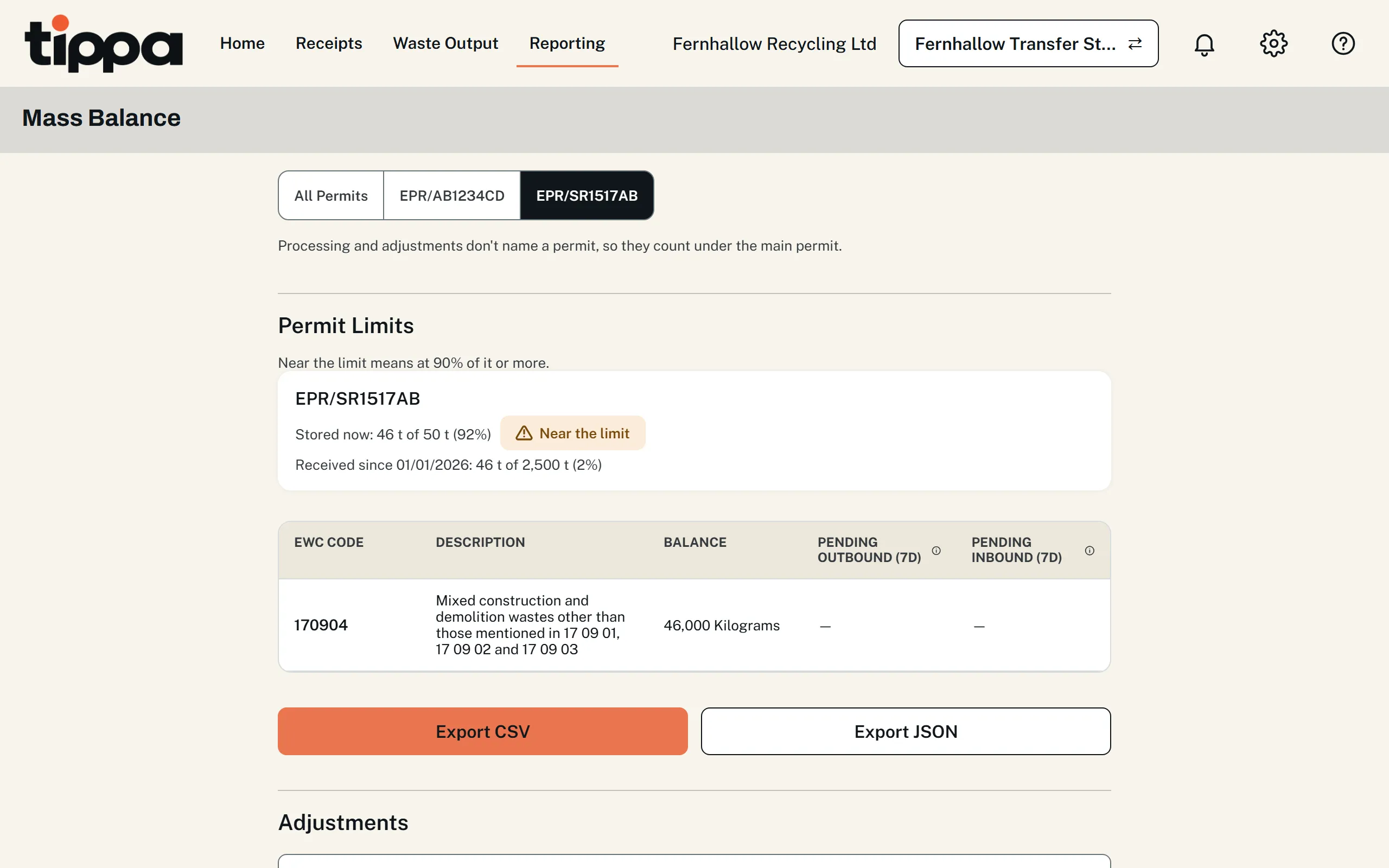
Mass Balance shows what’s on site against each permit’s limits and storage time, warning as either nears. More about Mass Balance Reporting add-on
Questions Transfer Stations Ask
Does It Work with My Weighbridge?
Yes, with no add-on. Give your operator the Weighbridge role and they get a quick screen to weigh each vehicle in and out, with regular vehicles' tares remembered and weighing carried on when the signal drops. A weighbridge operator is an office user. TIPPA doesn't read your weighbridge indicator directly yet, so the operator types in the reading. More about the weighbridge.
Our Site Has More Than One Permit. Can TIPPA Hold Them All?
Yes, free. Add each permit and TIPPA checks it on its regulator's register, then fills in the waste codes, limits and operations it allows from its standard rules or its published permit. Each load is received under the permit that allows its waste, a move between your permits is one form, and each permit gets its own returns. More about permits.
Our Site Works Under a Waste Exemption. Can We Use TIPPA?
Yes, at the same price as any other site, with or without a permit, in England, Wales or Northern Ireland. TIPPA checks the exemption on its register, lists the waste codes it allows, receives each load under it, warns you 30 days before it expires and counts its storage limits (Reporting add-on). More about exempt sites.
Free for Life. Pay Only for the Extras You Choose.
Record your next load once, and TIPPA does the rest. What a transfer station might add.
Guides for You.
Choosing software? Transfer station software compared, TIPPA included.