
How to report waste receipts to Defra: spreadsheet or software
In short: every load a permitted site receives must be reported to Defra's Report receipt of waste service within 2 working days. There are two ways to do it: fill in and upload Defra's spreadsheet, or use software that sends each load through Defra's API. You can use a mix of both. Defra charges the same either way; the difference is how much work each load takes.
Before you start, whichever way you choose
- Register your organisation. Sign in to the Report receipt of waste service with your organisation's Government Gateway or GOV.UK One Login account, never a personal one, and register each organisation that receives waste.
- Budget for Defra's charge. The service costs £26 a year for each organisation, covering all its sites, first due by 31 January 2027. It's the same whether you use the spreadsheet or software.
- Capture the details at the gate. Both ways need the same information for each load: who brought it, in what vehicle, the waste codes, weights and what happens to the waste. The full list is in our guide to what you report for each load.
Way 1: Defra's spreadsheet
GOV.UK's steps are to download the template, complete the mandatory fields and upload it. In practice, using Defra's template, that means:
- Download a fresh copy of the template. You can't use your own spreadsheet or change the format of Defra's.
- Add a row for each load on the "Waste movement level" tab. It has 27 columns to fill in, 10 of them mandatory: a reference you make up for the load, the site's name, address, postcode and authorisation number, the date and time received, the carrier's registration number (or why there isn't one) and name, and the means of transport. Others become mandatory depending on your answers, such as the vehicle registration for a load by road and the consignment code for hazardous waste.
- Add a row for each waste code on the "Waste item level" tab, with the same reference so Defra can match it to its load. It has 17 columns, 12 of them mandatory: the EWC code, description, physical form, number and type of containers, weight and its unit, whether the weight is estimated, whether the waste is hazardous or contains POPs, and the disposal or recovery code with its weight. Hazardous and POPs waste then needs its codes, components and concentrations too.
- Upload it to the Report receipt of waste service. If it comes back with errors, our guide to Defra spreadsheet errors says what each one means and how to fix it.
- Start a new spreadsheet next time. After you submit one, you need a new spreadsheet for your next submission.
Some rules from GOV.UK and the template itself:
- One spreadsheet can hold many loads, from several sites. If you run more than one organisation, each needs its own spreadsheet.
- The template says not to change its formatting, copy it onto a blank spreadsheet or add comments: doing so may stop it being processed.
- You can only update a load through the spreadsheet once it has a Waste Tracking ID.
- The template says it can't be used to report exemptions, dangerous goods or Article VII waste, which stay on paper.
The spreadsheet won't be there for ever. Defra calls it a temporary solution for receivers without software, expected to stay until at least October 2027, and the Welsh Government calls the API the primary submission route.
Way 2: software, through Defra's API
- Choose software that's on GOV.UK's list of compatible software providers. Our checklist for choosing software covers what to look for beyond that.
- Give it your API code, once. When your organisation registers, Defra gives it a unique API code for your software provider. One code covers every site your organisation runs.
- Record each load as it arrives, in the software's own screens rather than Defra's template. In most software it's the same record that fills in the transfer note.
- The software sends it to Defra and gets back the load's unique reference, its Waste Tracking ID.
- Fix anything Defra flags. If your software tells you a submission has an error, fix it within the same 2 working days.
Side by side
| Defra's spreadsheet | Software | |
|---|---|---|
| What you fill in | Defra's template: 27 columns for each load and 17 for each waste code | The software's own screens, often the record you already keep for the load |
| When a load reaches Defra | When you upload the spreadsheet | When the software sends it, often as soon as the load is saved |
| Each submission | A new spreadsheet every time | Nothing extra to do |
| Several sites | One spreadsheet, but a separate one for each organisation | One API code covers every site of an organisation |
| Changing a load later | Only once it has a Waste Tracking ID | Usually by editing the record: ask the supplier |
| Cost | £26 a year to Defra | £26 a year to Defra, plus the software's price, which varies |
| How long it's offered | A temporary route, until at least October 2027 | The primary route |
| Transfer notes and returns | Still needed, done separately | Still needed; some software fills them in from the same record |
Which suits your site?
The spreadsheet can be enough if you take in only a handful of loads, one person does the reporting from the office, and you're happy to keep each week's loads in Defra's template rather than your own records.
Software usually saves time if loads arrive every day, several people book them in, you run more than one site, or you'd rather record a load once and have the transfer note, the Defra report and your permit returns come from the same record. It also tells you straight away if Defra rejects a load, rather than when you next upload.
You don't have to choose for good. GOV.UK says you can use a combination of both, so a site can start on the spreadsheet and move to software later.
Deadlines and mistakes, whichever way
- 2 working days. Each load is due within 2 working days, starting the day after it arrives, not counting weekends and bank holidays. GOV.UK's example: waste received at 9am on Monday must be submitted, with a unique reference number back, by 11:59pm on Wednesday.
- Errors flagged by email or by your software must be fixed within the same 2 working days.
- Mistakes found later must be corrected as soon as you can, and always within 1 month of finding them.
- An outage beyond your control that stops you submitting: tell your regulator as soon as you can, unless you've been told the outage is Defra's service being unavailable; make a written record within 2 working days; and enter it within 7 days, starting the day after the outage ends. GOV.UK says 7 working days, but the regulations say 7 days, so work to the shorter one.
Not reporting is an offence. In England and Wales penalties include a fixed monetary penalty of £1,000.
Common questions
Can I use both the spreadsheet and software?
Yes. GOV.UK says you don't have to choose one method: you can submit using a combination of the API and the spreadsheet.
Can I use my own spreadsheet?
No. You must use Defra's template without changing its format, and start a new one after each submission.
Is the spreadsheet route cheaper?
Defra's charge is the same either way: £26 a year per organisation. The template is free to download. Software may cost extra, though some products include reporting to Defra at no charge.
How long will Defra's spreadsheet be available?
Defra describes it as a temporary solution and expects it to stay until at least October 2027.
What is a Waste Tracking ID?
The unique reference Defra gives a load once it's submitted. GOV.UK's deadline example counts a load as reported when you have its unique reference number, and you need it to update that load through the spreadsheet.
Check the official guidance
This guide is based on these pages. Rules change, so check them for the latest position.
- Report receipt of waste (GOV.UK / Defra)
- Digital waste tracking: check if you need to report the waste you receive (GOV.UK / Defra)
- Receipt of waste template spreadsheet (Defra)
- Report receipt of waste: choose a software provider (GOV.UK / Defra)
- Developing the digital waste tracking service (GOV.UK / Defra)
- Mandatory digital waste tracking system (Welsh Government)
How Tippa helps
Tippa is on GOV.UK's list of compatible software providers, and publishes its results in Defra's test scenarios and the gaps it knows of. Here's the software route in Tippa, in under half a minute and then step by step.
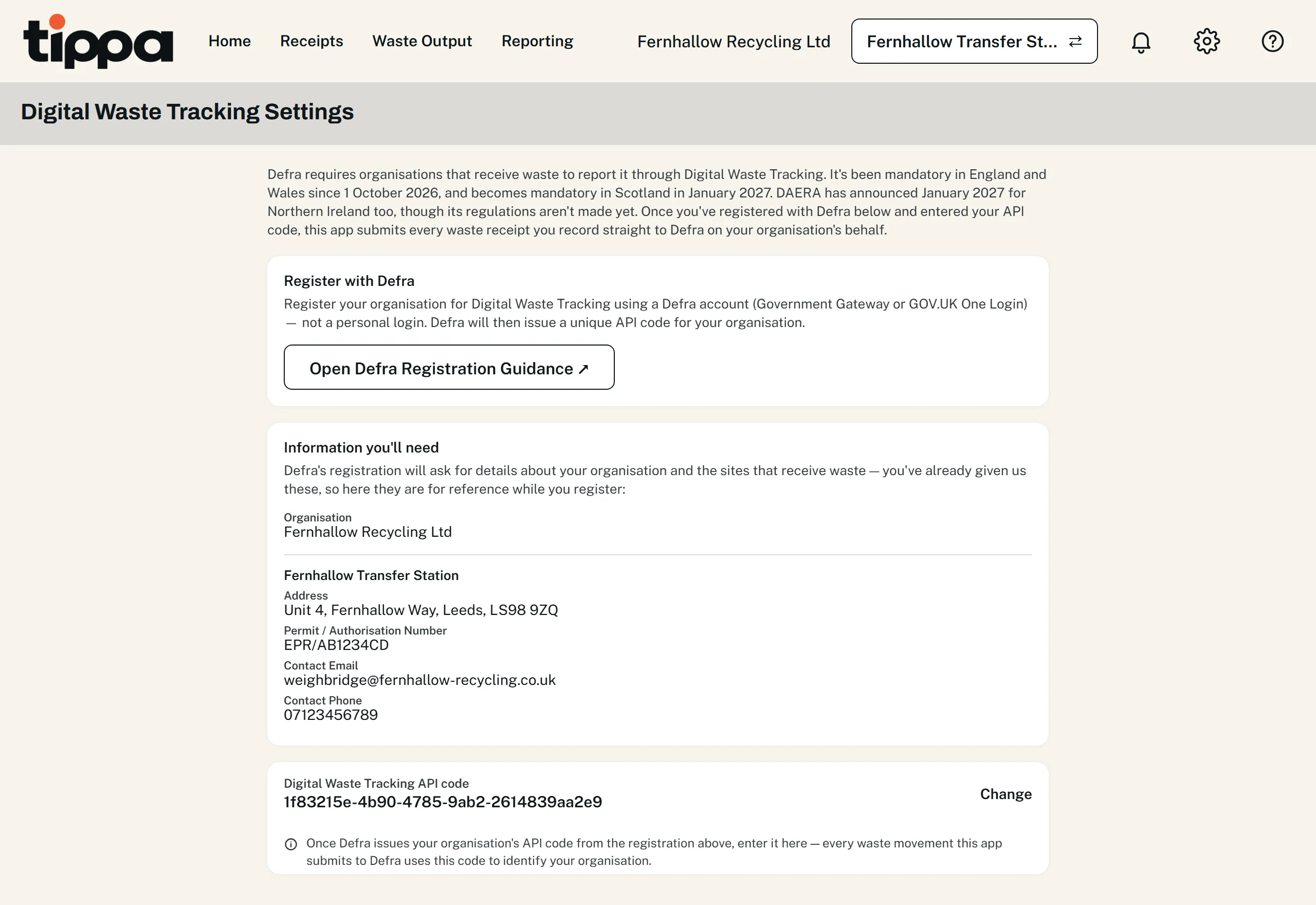
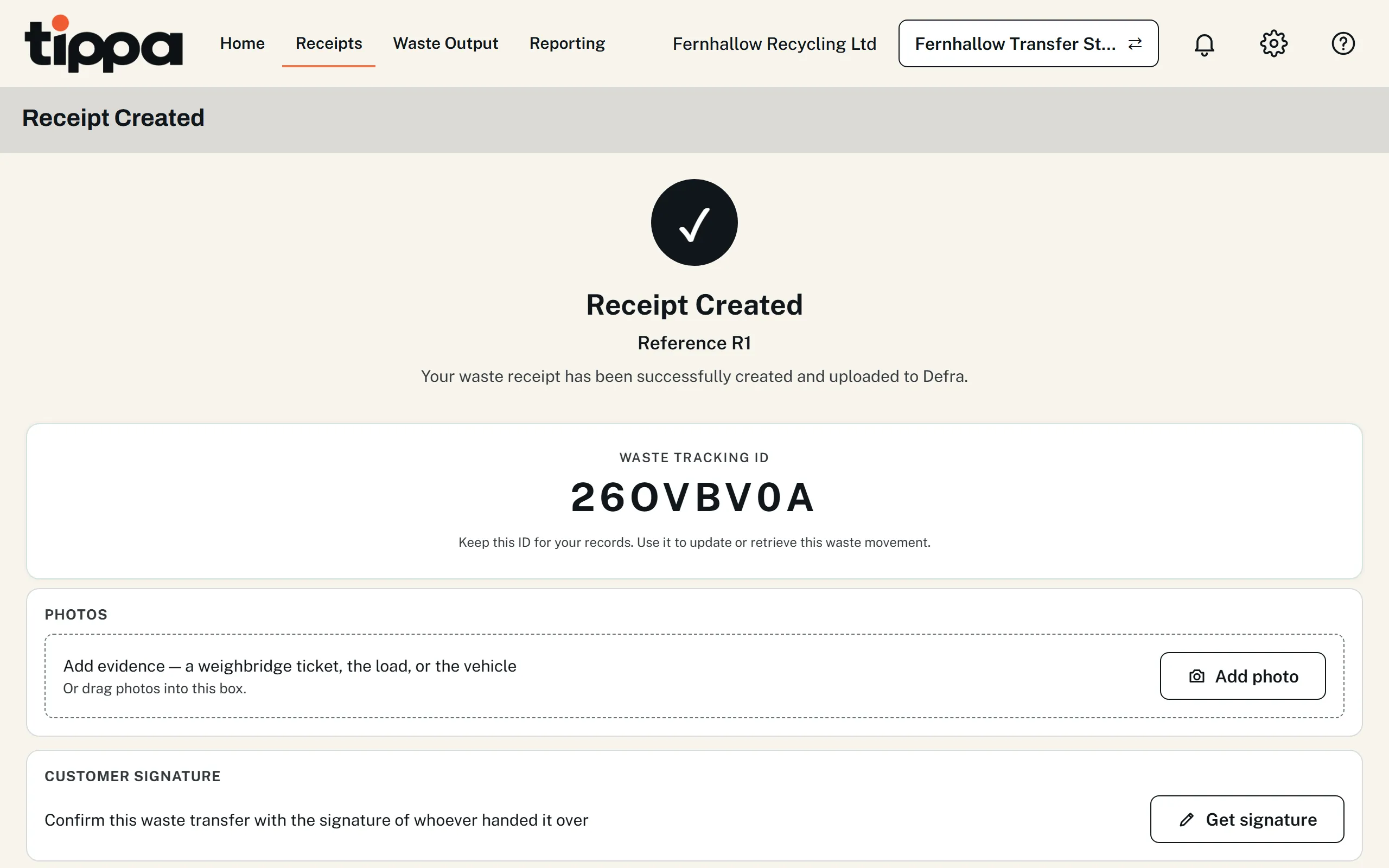
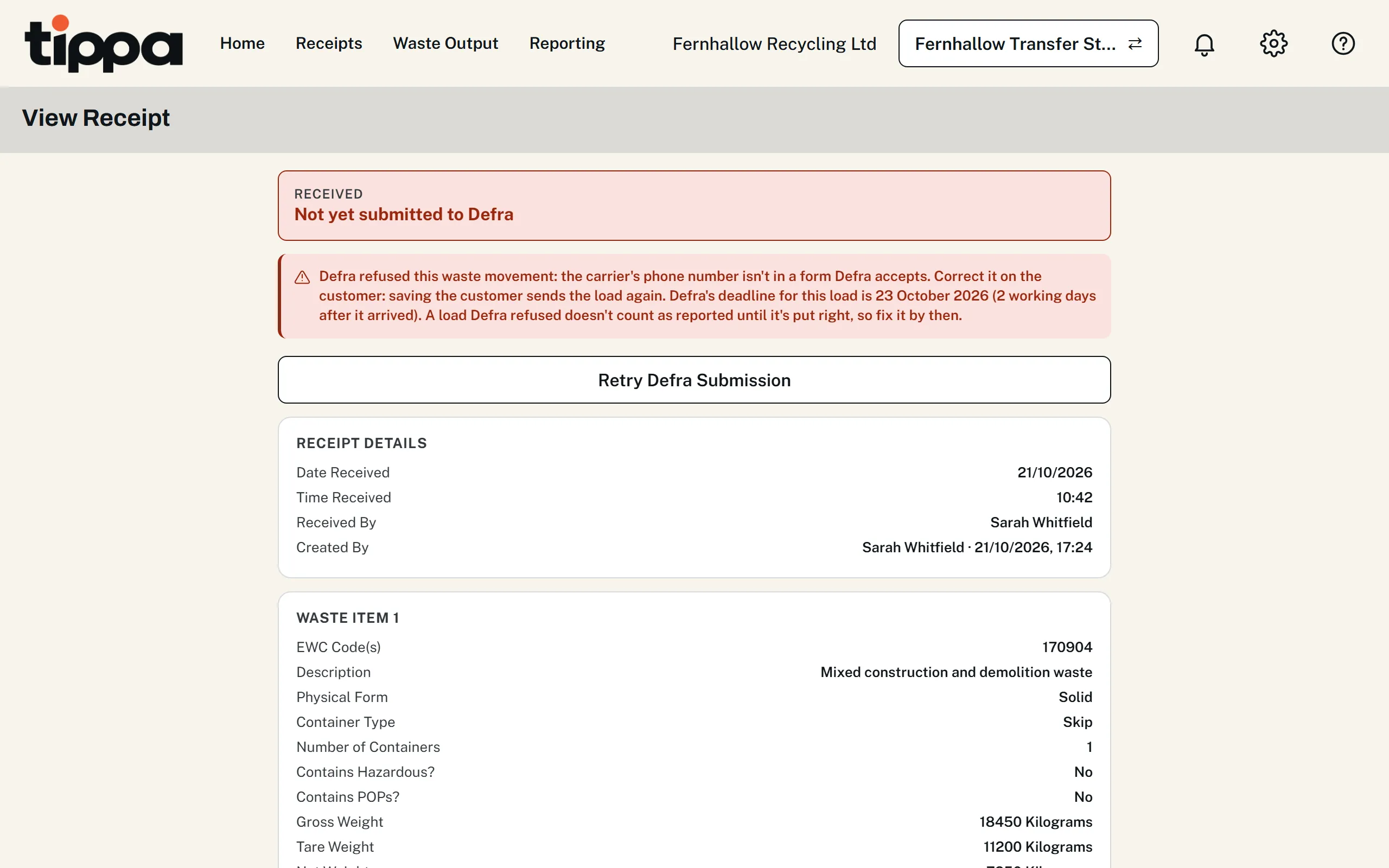
- Reporting every load to Defra is free, with no cap, on every plan. Defra's own £26 a year is separate.
- No template to fill in and no new file after each submission: the receipt you record is the report.
- Tries again every hour while Defra's service is down, and emails whoever received a load that needs fixing.
- The same receipt fills in the transfer note, free, and your regulator's waste returns, with the Waste Returns add-on.
- Moving from Defra's spreadsheet? Bring past loads across from a spreadsheet, free, choosing whether they go to Defra.
This guide is general information about UK waste rules, not legal or regulatory advice. You remain responsible for meeting the duties that apply to your business; check the official guidance above and take professional advice where you need it.